If you’ve ever picked up your iPhone and noticed the screen is slightly bulging, the back panel is pulling away from the frame, or you press a button and it feels off—chances are your battery is swollen. As someone who’s worked in iPhone battery supply for over a decade, I’ve seen this happen to everything from a 2-year-old iPhone SE to a brand-new 15 Pro, and I know how terrifying it can feel if you don’t know what to do next. Swollen batteries aren’t just an inconvenience; they’re a safety risk, and there are right and wrong ways to handle them that can make a huge difference for both your device and your well-being. Let’s break this down clearly, step by step, with real, actionable advice you can trust. iPhone Battery
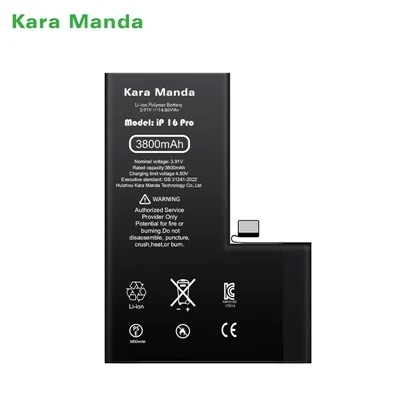
First, let’s get one thing straight: a swollen lithium-ion battery in your iPhone is not normal. Modern iPhone batteries are designed to hold a tight, consistent shape inside the device’s aluminum frame, so any bulging means something has gone wrong with the chemistry or structure of the battery. The most common causes are overcharging (leaving your phone plugged in overnight every night, especially on cheap third-party chargers that don’t regulate voltage), exposing the phone to extreme heat (leaving it on a car dashboard in summer, near a space heater, or even in direct sunlight for hours), manufacturing defects (rare, but they do happen, especially with lower-quality replacement batteries), or normal wear and tear as the battery ages. Over time, lithium-ion batteries break down, and their internal materials can form gas, which causes the battery to expand. This expansion isn’t just a physical change—it can press on the iPhone’s internal components, including the display, logic board, and camera, leading to permanent damage that makes repairs more expensive, or even impossible, if you wait too long.
The very first thing you need to do if you notice a swollen battery is to stop using your phone immediately. I can’t stress this enough. Every time you turn the phone on, press the screen, or even move it, you’re putting pressure on that expanding battery. Lithium-ion batteries that are swollen are at a higher risk of leaking electrolyte, catching fire, or even exploding—though these instances are rare, they’re far more likely if you continue to use the device. I’ve had customers come into our supply team with iPhones where the screen completely popped off because they kept using it, and the damage to the logic board meant the phone wasn’t worth repairing. Your safety matters most, so power the phone off right away. If you can’t power it off because the screen is stuck or unresponsive, hold down the side button and volume button (depending on your model) until it shuts down—even if that takes a few extra seconds, it’s worth it to avoid unnecessary risk.
Next, don’t try to “pop” the bulge, pry off the back panel, or replace the battery yourself at home. I know it might seem like a simple fix, but iPhone batteries are not like the old removable batteries from the early 2000s. They’re glued tightly to the frame of the phone, and many models have small adhesive tabs that, when pulled wrong, can tear or break, leaving sharp edges inside the device. More importantly, tampering with a swollen battery can cause the gas inside to release suddenly, or expose you to the electrolyte inside, which is corrosive and can cause skin or eye irritation. I’ve seen someone who tried to replace a swollen battery and ended up with a small burn on their finger from a tiny leak, and another who damaged their camera module so bad they had to replace the whole device. It’s not worth the risk. Instead, if your phone is still under warranty, contact Apple Support—they might replace the battery for free or offer a discounted repair. If it’s out of warranty, don’t rush to a random third-party repair shop. Many of these shops use low-quality replacement batteries that can swell faster, or they don’t handle the old swollen battery properly, leading to safety hazards.
Now, if you’re at the point where you need a replacement battery, this is where our role as a supplier comes in, and it’s important to choose the right replacement to avoid the same problem happening again. Not all iPhone batteries are created equal. Some cheap, off-brand batteries use subpar lithium cells that degrade faster, don’t have proper safety features, and are far more likely to swell than genuine or high-quality aftermarket batteries. At our supply team, we specialize in iPhone batteries that meet Apple’s original specifications, with built-in overcharge protection, temperature sensors, and high-grade lithium cells that last through 500+ charge cycles without expanding. We work with repair technicians and even individual customers who want reliable, safe replacements, and we make sure every battery we supply goes through rigorous testing before it leaves our warehouse—no defects, no cut corners. When you get a replacement, make sure it’s installed by a certified technician, not just someone who can pry off the back panel. A proper installation ensures the battery is secured correctly, uses the right adhesive, and won’t shift around, which can lead to swelling over time.
While you wait for a replacement, store your iPhone in a cool, dry place away from other devices. Don’t put it in a drawer with other electronics, don’t leave it in your car, and don’t charge it—even if you think it’s just a little swollen. I recommend keeping it in a cloth bag on a shelf, away from kids or pets, until you can get it to a repair. Charging a swollen battery, even at 10%, is a bad idea because it puts stress on the already damaged cells, increasing the risk of issues down the line.
Wait, but what if you just noticed a tiny bulge that doesn’t seem like a big deal? Don’t ignore it. Even a small bulge can get worse quickly. I had a customer last year who thought a minor bulge in their iPhone 12 was “no big deal” because the phone still worked. They waited two weeks to get it replaced, and in that time, the battery expanded enough to crack the display, which added $300 to their repair cost. It’s always better to address a swollen battery early than to deal with a more expensive, and potentially dangerous, problem later. Another thing to note: if you have an older iPhone, say iPhone 8 or earlier, the risk of swelling might be higher because those batteries don’t have the same safety features as newer models, but every iPhone is susceptible.
Let’s also talk about how to prevent swollen batteries in the first place, because that’s something we care a lot about as suppliers. The biggest culprits are charging habits. Don’t leave your phone plugged in overnight 24/7—even modern iPhones have “optimized battery charging,” which is great, but leaving a phone plugged in for days at a time, especially on a cheap charger, can stress the battery. Avoid extreme heat: if you’re going to be in a hot place, put your phone in a bag instead of leaving it on the seat of your car. And when you do need a replacement battery, choose a reliable supplier. We hear horror stories all the time about people buying $10 batteries online that swell within a month—those are the ones that use cheap cells and skip safety testing. Our batteries are designed to match the original equipment, so you get the same longevity and safety as when your phone was new.
If you’re a repair technician reading this, you know how often swollen batteries come in for service. We supply to hundreds of repair shops across the country, and we make sure our batteries come with clear installation instructions, plus support if you run into any issues during the process. We also provide bulk pricing for shops that work on dozens of iPhones a month, so you don’t have to sacrifice quality for cost. For individual customers, we offer small quantities of batteries, so you don’t have to buy a hundred at a time, and we can point you to certified technicians in your area who are experienced in installing our batteries.
I want to make this personal, because this isn’t just a blog post for me—this is what I deal with every day. Last year, a regular customer brought in their 13-year-old daughter’s iPhone, which had a swollen battery that popped the screen off. They’d bought a cheap battery from a third-party seller online, and within three weeks, it was swollen. We supplied them with a genuine-grade replacement, installed by a local tech, and they told us a month later that the phone works better than it did when they bought it. That’s why we do this: to make sure people don’t have to go through the stress of a swollen battery, or the risk of using a damaged device.
So to recap, the steps if your iPhone battery is swollen: 1) Stop using the phone immediately and power it off. 2) Don’t attempt to replace the battery yourself or tamper with the device. 3) Contact a certified repair technician to assess the damage and replace the battery. 4) If you need a replacement, choose a reliable supplier that offers high-quality, tested batteries to avoid future issues. 5) Store the damaged phone in a cool, safe place until repairs are done.
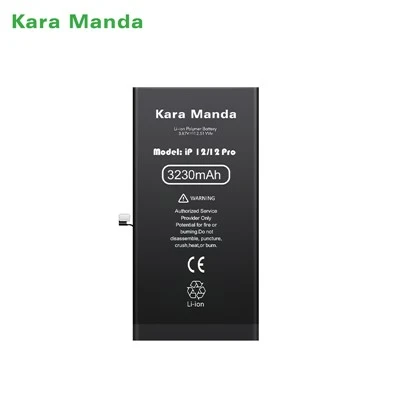
If you’re looking for a safe, high-quality iPhone battery replacement, we’re here to help. Whether you’re a repair shop in need of bulk supply or an individual customer who wants a reliable battery for your device, we can work with you to get the right product at a fair price. We prioritize safety and quality above all else, and our team is ready to answer any questions you have about our batteries, installation, or the repair process. Don’t wait until a small bulge turns into a big problem—reach out today to discuss your iPhone battery needs.
iPhone 14 Diagnostic Battery References:
- Consumer Product Safety Commission, “Lithium-Ion Battery Safety,” U.S. Consumer Product Safety Commission
- Apple Support, “iPhone Battery Service and Recycling,” Apple Inc.
- Journal of Power Sources, “Degradation Mechanisms in Lithium-Ion Batteries for Consumer Electronics,” Volume 412, 2021
- International Electrotechnical Commission, “Safety Requirements for Secondary Cells and Batteries Containing Lithium,” IEC 62133-2:2017
- Repair Safety Association, “Best Practices for Handling Damaged Lithium-Ion Batteries in Consumer Devices,” Repair Safety Association 2022
Huizhou Kara Manda Technology Co., Ltd.
Huizhou Kara Manda Technology Co., Ltd. is one of the most professional iphone battery manufacturers and suppliers in China. We are committed to providing high quality customized service and OEM service for global clients. If you’re going to wholesale bulk CE approved iphone battery made in China, welcome to get quotation from our factory. 1 year warranty is available.
Address: No.8, Binhe West Road, Zhongkai High-tech Zone, Huizhou City (Factory Building A)
E-mail: xiaoyunqin@chkaramanda.com
WebSite: https://www.karamandatech.com/
