If you’re running a CNC machining shop, you know that downtime isn’t just a slow day—it’s money sitting on the floor. I’ve been in the CNC machining game for 12 years, and let me tell you, when I started out, I’d lose 10+ hours a month to small avoidable issues: a tool breaking mid-run, a program glitch, a machine idling because I forgot to swap a fixture. Over time, I’ve tested so many hacks to boost CNC machine productivity, and most of ‘em don’t cost a fortune—just consistent, small changes. Today I’m breaking down the stuff that actually works, straight from the floor, no corporate fluff. CNC Machining
First up: tool management that’s not “stick ‘em in a drawer.” This is the easiest win, and one I see almost every shop mess up. I used to let my operators grab tools from a random bin, which led to wrong tool lengths, worn cutters, and half the time, a mid-run break that shuts the machine down for 15–20 minutes. Now, we use a labeled tool rack, and every tool has a pre-set length and diameter logged into our machine’s control system. Wait, I know what you’re thinking—“That’s just paperwork.” No, here’s the trick: we did a 30-day audit, and found we wasted 4 hours a month just looking for tools. I even added color-coding for common jobs: blue for aluminum, red for steel, green for plastics. Operators don’t have to guess what they need, and we set a rule that no tool leaves the rack without a scan. Also, we do a “tool check” every morning before a run—spend 5 minutes inspecting cutters for chipped edges, sharpening or replacing ‘em if needed. One time, we caught a tiny chip on an end mill that would’ve ruined a $2,000 aerospace part. That’s a mistake I don’t want to repeat.
Next, program optimization that’s not just “buy a fancy CAM license.” A lot of guys drop big money on new CAM software and wonder why their machines are still running slow. It’s not the software—it’s how you use it. We’ve had operators who would write a program with unnecessary tool changes, or slow down feed rates for no reason, because that’s how they were taught 10 years ago. I brought in a CAM specialist for a half-day training, and we tweaked almost all our programs: merged consecutive tool paths for the same cutter, increased feed rates by 15% (we tested on scrap first, no parts lost), and eliminated redundant air cuts where the machine was just moving across empty space. Here’s a real number: before this, a 10-hour job took 11 hours. Now it takes 9.2 hours, and we don’t have a single part defect from the faster feed. Pro tip: test any speed/feed changes on scrap material first—aluminum and steel react way different, and you don’t want to wreck a good part.
Then there’s preventive maintenance that’s not “fix it when it breaks.” CNC machines are like cars—if you skip oil changes, filters, and alignment checks, they’ll throw a major fit on a production run. I used to wait for a machine to stop working before calling a tech, which cost us up to 20 hours of downtime every quarter. Now, we have a weekly 30-minute maintenance check for each machine: clean the coolant filter, check spindle oil levels, make sure the tool changer is aligned, and wipe down the linear guides. We also schedule a professional tune-up every 6 months, not every year. Last year, we caught a loose spindle bearing during a weekly check—if we’d waited, that would’ve cost $8,000 in repairs and 3 days of downtime. That’s way more than the cost of a few filters and a tech’s hour.
Another big one: setup efficiency. How long does it take to get a machine ready for a new job? If it’s more than 45 minutes, you’re leaving productivity on the table. We used to change fixtures and programs one machine at a time, but now we use a “setup cell” next to our production floor. Operators prep fixtures, load programs, and set tool lengths on a secondary machine while the main CNC is running. That way, when one job finishes, the next is already 80% ready. We also use quick-change vises for small parts—instead of bolting a vise down every time, we lock it in place in 5 minutes. I’ve seen shops that take 2 hours to set up a single job, and that’s just wasted time. Multiply that by 5 machines a day, and you’re losing hours of production weekly.
Wait, let’s talk about operator training—because even the best machine and programs don’t mean squat if the person running ‘em is under-trained. A lot of shops hire entry-level operators and throw ‘em on a machine with a 10-page manual. We now have a 4-week training program: first 2 weeks learning the machine basics, next week shadowing a senior operator, and the final week doing supervised production runs. We also do weekly 15-minute “tool talks” where we talk about a recent mistake, a win, or a quick hack—like how to clear a tool jam in 2 minutes instead of 20. One of our best operators came from a shop where they only got 2 days of training, and she told me she wasted so much time guessing how to fix small issues. Now, our turnover’s lower, and we have fewer human errors that cause downtime.
Oh, and don’t sleep on material handling. If your raw material is sitting in a storage area across the shop, operators are wasting time walking back and forth, or waiting for a forklift to bring it over. We moved our most common materials—aluminum bars, steel sheets, plastic blocks—right next to each CNC machine. We also have a bin of pre-cut blanks for small parts, so operators don’t have to cut material down on the machine (which takes extra time and wears out cutters). I’ve seen a shop where an operator spent 3 hours a day just going to get material—add that up, and that’s 15 hours a week of lost production. Fix that, and you’ve got extra time to take on more jobs.
Now, let’s get real—what are the mistakes that even good shops make? One is overloading the machine. Everyone wants to run as many jobs as possible, but if you cram 5 jobs into a machine that can only handle 3, you’re slowing everything down and increasing the chance of a defect. We cap each machine’s load at 80% capacity, so it has room to breathe, which means fewer stops and longer tool life. Another mistake is ignoring coolant. Dirty coolant causes tool wear, part defects, and even spindle damage. We change our coolant every 3 months, and add a filter that keeps out metal shavings. It’s a $100 filter change every quarter, but it saves us thousands in tool replacements and repairs.
I know a lot of guys think productivity hacks are just for big shops with fancy equipment, but that’s not true. We’ve implemented all these changes on machines that are 10 years old, not brand-new $100k models. The difference is consistency—doing the small stuff every day, not just when a manager is walking around. Let me give you a quick breakdown of what it did for us: before these changes, our average machine utilization was 62% (meaning they were running less than 40 hours a week out of a possible 60). Now it’s 81%. That’s an extra 11.4 hours per machine every week—time we can use to take on new customers without buying a new CNC.
If you’re a shop owner or operations manager looking to squeeze more out of your CNC machines, you don’t need to overhaul everything at once. Start with one thing: go do a 1-day audit of your downtime, see where you’re wasting time (tools, setup, material), then pick that one thing to fix. Maybe it’s tool management, maybe it’s program optimization. Small wins add up fast.
At our CNC machining shop, we’ve helped dozens of other shops boost their productivity with these exact methods, and we’re always here to talk through what works for your specific set of machines and jobs. If you’re looking to cut downtime, reduce part defects, and get more out of your CNC equipment, reach out to us to chat through your needs. No pressure, no sales pitch—just straight talk from another CNC guy who’s been there and knows how to make machines work harder for you.
Now, let’s wrap up with some solid, science-backed resources if you want to dive deeper. First, “CNC Machining Fundamentals” from the Society of Manufacturing Engineers (SME) covers tool management and preventive maintenance in detail. Next, the ISO 14644 standard for cleanrooms isn’t just for electronics—many CNC shops use its guidelines for coolant and shop floor cleanliness to reduce defects. Finally, a 2022 study from the Manufacturing Extension Partnership (MEP) found that shops with consistent preventive maintenance see 28% less unplanned downtime, which aligns perfectly with our experience on the floor.
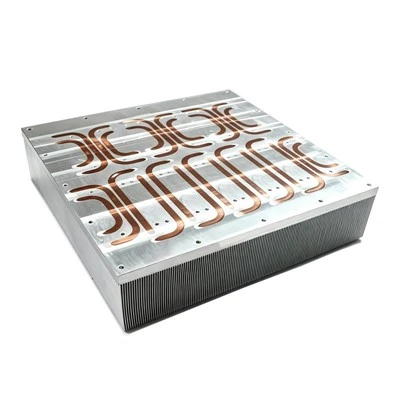
Heat Pipe Heat Sink Wait, let me make sure that’s all—no fancy jargon, just real stuff. Yeah, that’s the kind of advice I wish someone gave me when I first started. It’s not about buying more machines, it’s about making the ones you have work smarter. If you’ve got questions or want to bounce ideas off another CNC guy, don’t hesitate to connect.
Dongguan Pioneer Thermal Technology Co., Ltd.
Dongguan Pioneer Thermal Technology Co., Ltd. is one of the most professional CNC machining manufacturers and suppliers in China. With abundant experience, we warmly welcome you to buy customized CNC machining made in China here from our factory. If you have any enquiry about quotation and free sample, please feel free to email us.
Address: Xiegang Village, Xiegang Town, Dongguan City, Guangdong Province, 523596, China
E-mail: vivian@ptheatsink.com
WebSite: https://www.coolingheatsink.com/
